Process
Creative review process + Deck
TLDR; I collaborated with PMs to reduce reviews by 15% with a new creative cycle and reduced deck building time 20% by building a Figma template.
Through my role as design lead for seasonal events on the North American Stores team at Amazon for the last 3 years, I’ve identified gaps and made process improvements to help simplify events, reduce rework and churn, while raising the design bar. Our repetitive creative review process with condensed timelines made it difficult for the design team to make all edits and updates between reviews. I partnered with two project managers to discuss pain points, adjust timelines and get alignment with our creative director and marketing lead. We reduced reviews by 15%, establishing clear expectations and outcomes for each review. This updated cycle allowed us to meet all deadlines without losing design time.
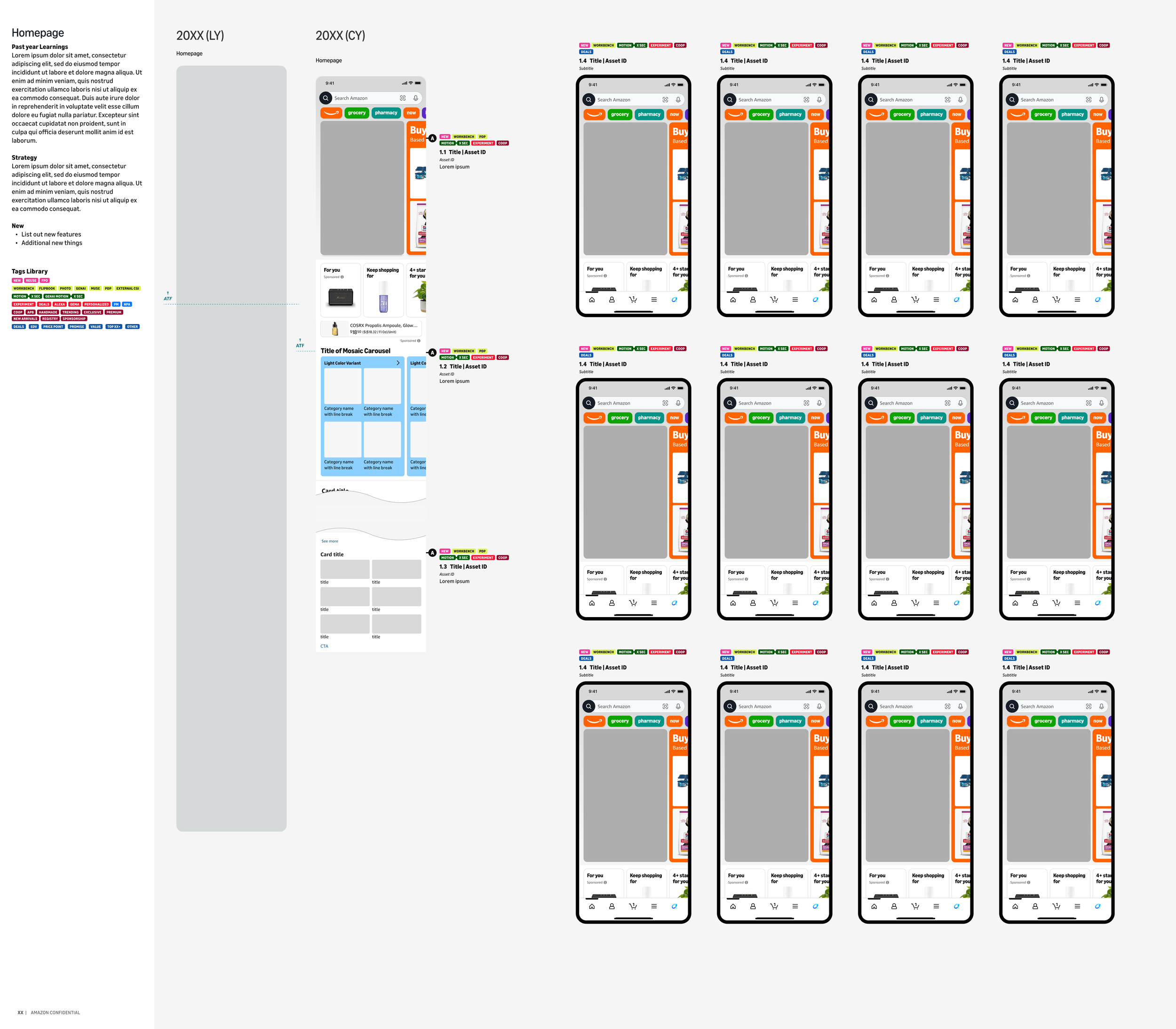
Along with improving the review cycle, I created and shared a Figma template for review decks that established page set up, components for labeling creative, and creative placement mocks. This template ensured all seasonal event reviews had the same structure & annotations, reducing deck building time for designers by 20% and reducing cognitive load for our marketing partners no matter what the event or review round is.
As our reviews continue to evolve, I continue to partner with my marketing partners to include our automated creative/merchandising efforts and better tracking of updates review over review with a chart and flags throughout the decks.
Figma Templates & Improvements
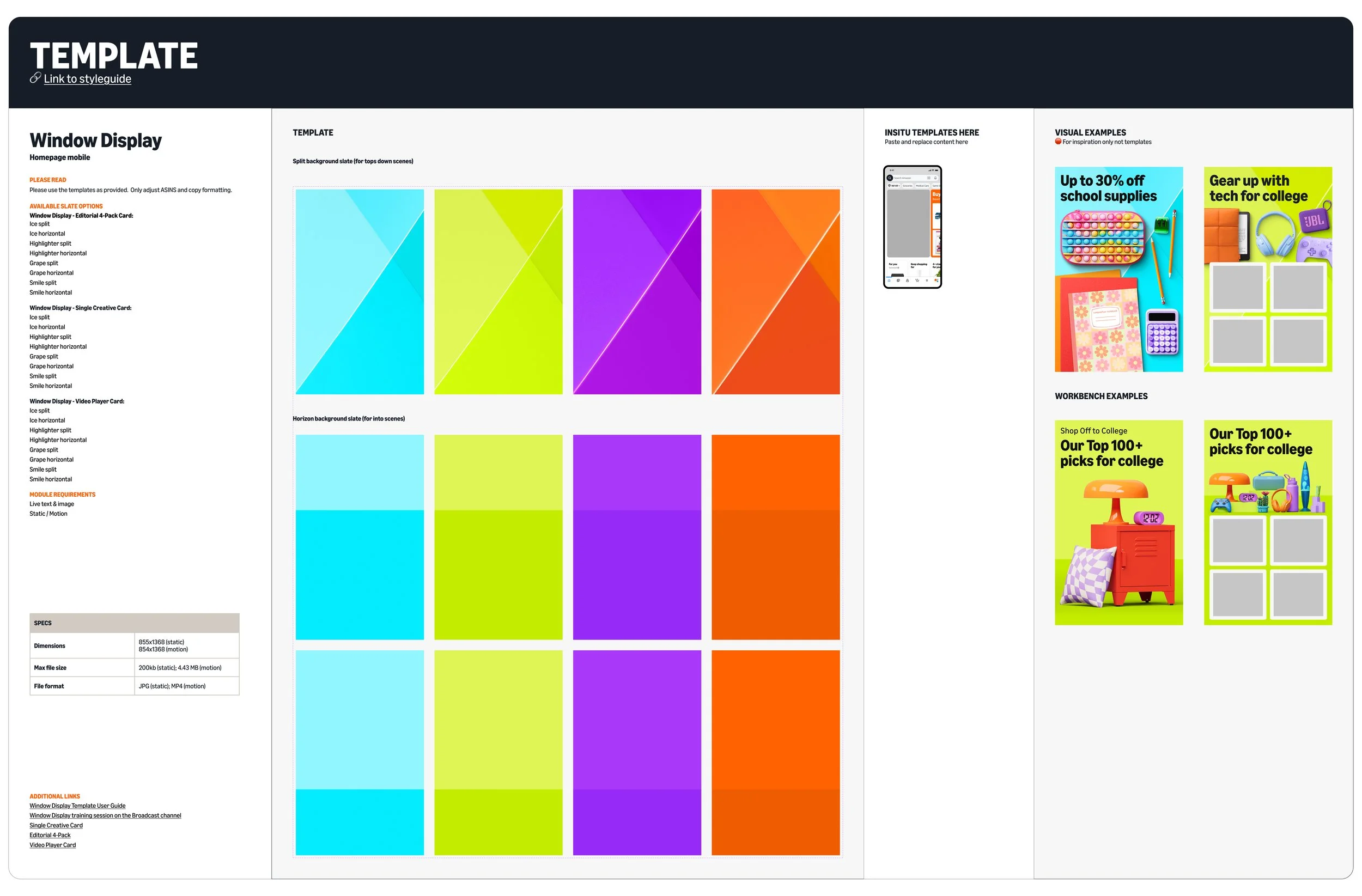
TLDR; Oversaw creation of Figma templates for each seasonal event, included every creative placement with all potential color & graphic element layers embedded. These ensured consistency across internal and external team usage and reduced initial design work internally by 20%.
When I took over as design lead for seasonal events in February 2025, I became the design contact for all US teams who wanted to use the style guide my team created for these seasonal events. In 2024, I only led two large events where the Amazon global brand team created the style guides and templates. I quickly saw challenges of ensuring creative was executed consistently by other teams without having an official review or approval process. I was also facing challenges with my internal production designers executing assets differently only having our style guide to design from.
Beginning with our 2026 events, I partnered with a visual designer to build templates for each creative placement our events produced, embedding all colors, graphic & copy elements, and safe zones. Each template also included example executions and templates for mocks that matched the Figma review deck template I had created. We have since executed this process for all 8 seasonal events for 2026, adding to our published style guides, allowing both internal and external teams the guidance to create consistent work.
Design & Production team Do’s & Don’ts
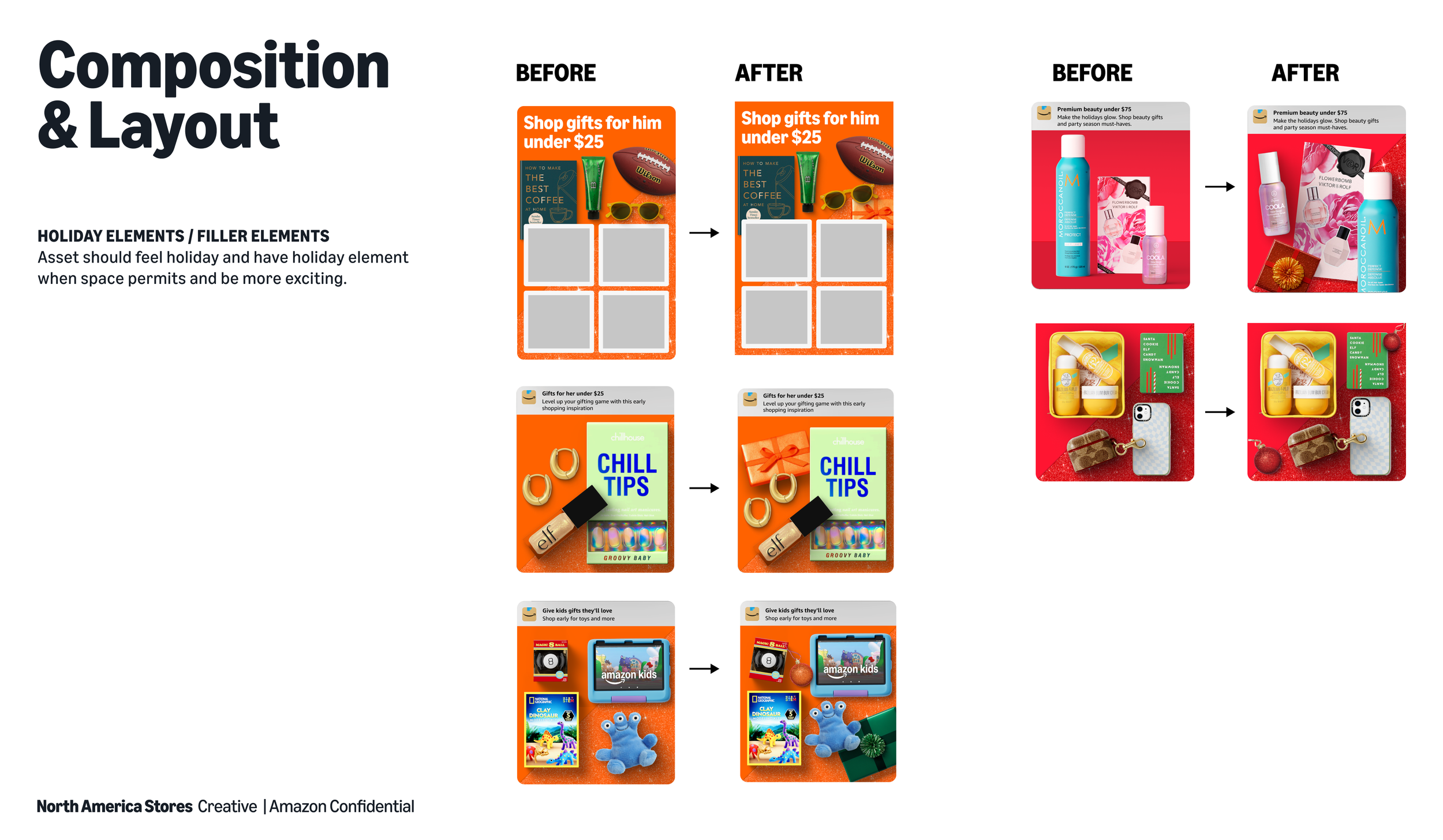
TLDR; Created clear guidelines with my Creative Director to reduce repetitive feedback notes we were providing review after review, using real examples from our two biggest events, Back to School/Off to College and Holiday. This guidelines gave designers a quick list to reference while designing without needing to touch base with me.
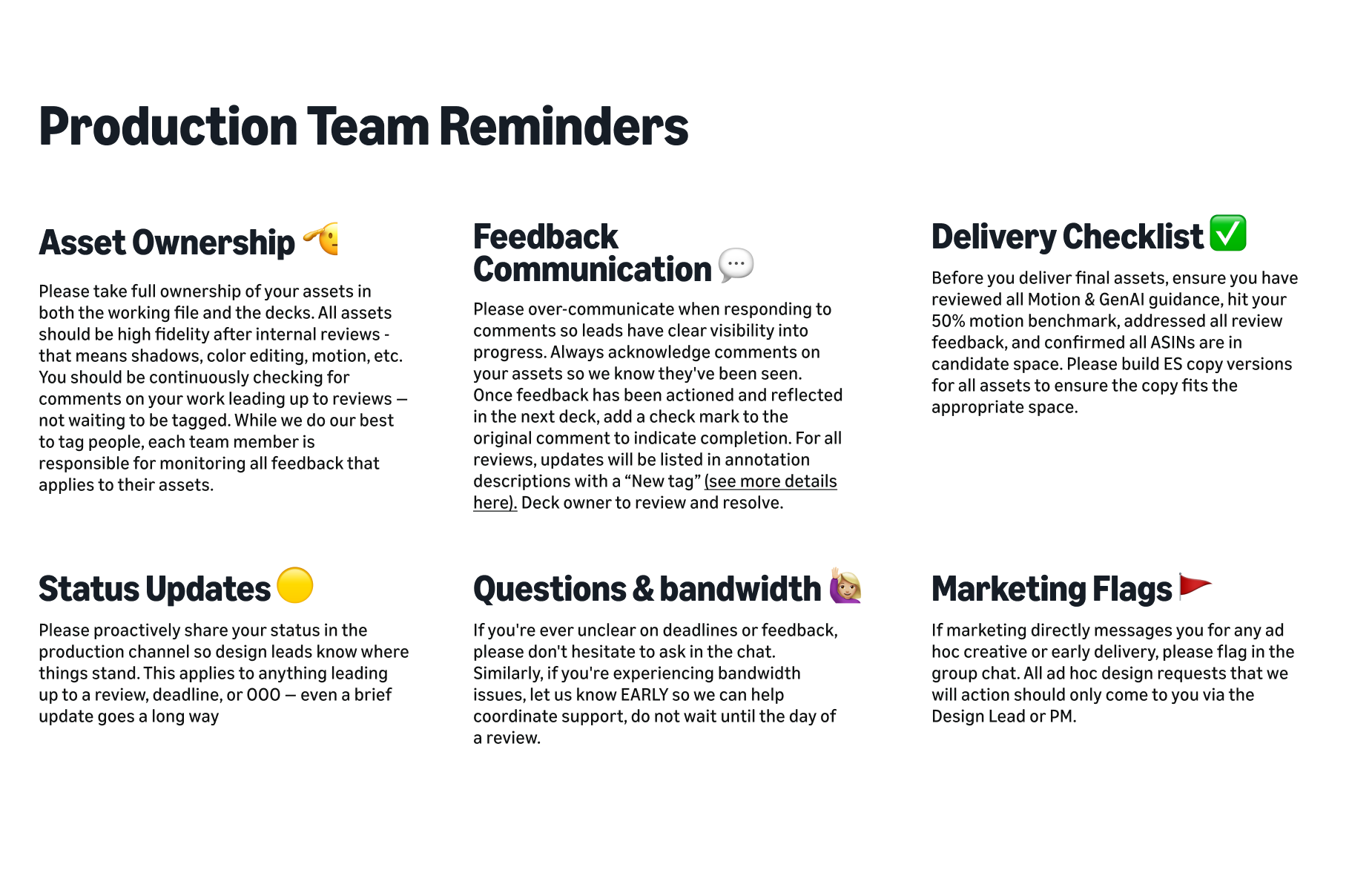
As our team continued to change and designers swapped between projects, we established a full onboarding deck and a quick list of reminders to ensure successful production.